| Initialization and DMA signals |
Description |
| void initVGA(void) |
Call once to set up 4 DMA channels and 3 PIO state machines and init the double buffering. |
int draw_start_signal(void);
|
Returns non-zero when the draw/display buffers are swapped. The function also clears the start signal. |
int get_buffer_type(void)
|
Returns 1 for 60Hz double-buffer, 2 for 30Hz double-buffer, and 3 for no double-buffer. |
|
|
| void copy_buffer0to1(void) |
Copies the buffer0 to buffer1, Typically only used once to init static display. |
| void copy_buffer1to0(void) |
Copies the buffer1 to buffer0, Typically only used once to init static display. |
| void copy_buffer_to_other(void) |
Copies the draw buffer to display buffer, Typically only used once to init static display. |
| Erase |
|
| void clearRect(short x1, short y1, short x2, short y2, short color) |
Clears a region of the draw buffer from (x1,y1) to (x2,y2) to a color . For speed, there is NO error or bounds checking! |
void clearLowFrame(short top, short color)
|
Clears draw buffer below a top y value. Fastest erase routine. Again, NO bounds checking. |
| void clearRegion(short y1, short y2, short color) |
Clears draw buffer from y1 to y2. Again, NO bounds checking |
| Text |
NOTE that all of the text routines require x to be even.
An odd value of x is modified one pixel to the left to make it even. |
int drawTextAscii(short x, short y, char * str, char color, char bgcolor);
|
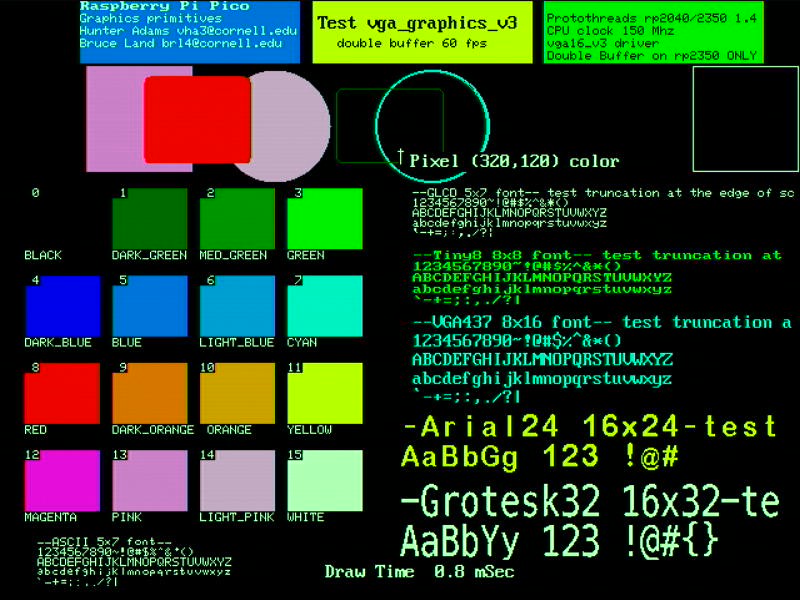
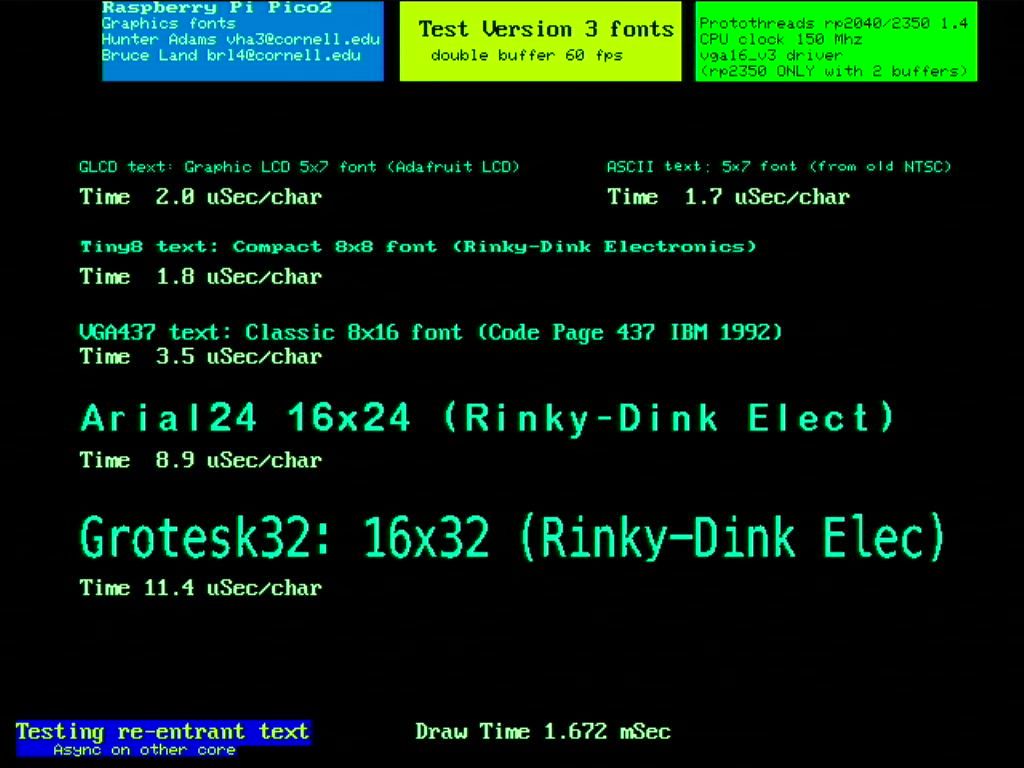
Draw one line of text in a 5x7 pixel format with the upper left corner at (x,y), using the string str, and using color, with background bgcolor. Returns the number of characters actually drawn. This was included because the character bit maps are easily hacked. |
| int drawTextGLCD(short x, short y, char * str, char color, char bgcolor); |
Draw one line of text in a 5x7 pixel format with the upper left corner at (x,y), using the string str, and using color, with background bgcolor. Returns the number of characters actually drawn. |
| int drawTextTiny8(short x, short y, char * str, char color, char bgcolor); |
Draw one line of text in a 8x8 pixel format with the upper left corner at (x,y), using the string str, and using color, with background bgcolor. Returns the number of characters actually drawn. This is an efficient, small font. |
| int drawTextVGA437(short x, short y, char * str, char color, char bgcolor); |
Draw one line of text in a 8x16 pixel format with the upper left corner at (x,y), using the string str, and using color, with background bgcolor. Returns the number of characters actually drawn. This font is copied from the 1981 IBM ROM. |
| int drawTextArial24(short x, short y, char * str, char color, char bgcolor); |
Draw one line of text in a 16x24 pixel format with the upper left corner at (x,y), using the string str, and using color, with background bgcolor. Returns the number of characters actually drawn. |
| int drawTextGrotesk32(short x, short y, char * str, char color, char bgcolor); |
Draw one line of text in a 16x32 pixel format with the upper left corner at (x,y), using the string str, and using color, with background bgcolor. Returns the number of characters actually drawn. |
| Outline shapes |
|
void drawPixel(short x, short y, char color) ;
|
Draw one pixel of specified color at (x,y). Will not draw outside 640x480 region. |
void drawVLine(short x, short y, short h, char color)
|
Draw a vertical line of specified color from (x, y) to (x, y+h) |
| void drawHLine(int x, int y, int w, char color) |
Draw a horizontal line of specified color from (x, y) to (x+h, y) |
| void drawLine(short x0, short y0, short x1, short y1, char color) |
Draw a line of specified color between two end points. Uses Bresenham alogrithm. |
void drawRect(short x, short y, short w, short h, char color);
|
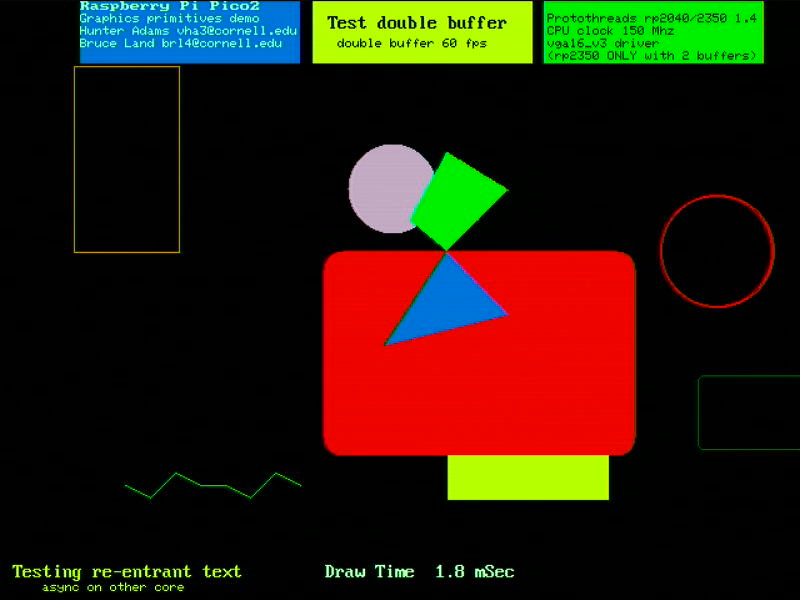
Draw a rectangle of specfied color from corner (x, y) to (x+w, y+h) |
void drawCircle(short x0, short y0, short r, char color) ;
|
Draw a circle of specifed color with center (x0,y0) and radius r. |
| void drawRoundRect(short x, short y, short w, short h, short r, char color) ; |
Draw a rectangle, but with rounded corners of radius r. For sanity, w>2*r and h>2*r |
void drawMultiLine(int num_points, short point_list[][2], char color) ;
|
Draws (num_points-1) lines of specified color using an array of x,y points point_list[num_points][2]. |
void crosshair(short x, short y, short c)
|
Draws a little cursor-like cross of specifed color at x,y. |
| Filled shapes |
|
void fillRect(short x, short y, short w, short h, char color)
|
Fills a rectangle with specfied color from corner (x, y) to (x+w, y+h) |
void fillCircle(short x0, short y0, short r, char color)
|
Fills a circle with specifed color with center (x0,y0) and radius r. |
| void fillRoundRect(short x, short y, short w, short h, short r, char color) ; |
Fills a rectangle with rounded corners of radius r. For sanity, w>2*r and h>2*r |
void fillTri(float x0, float y0, float x1, float y1, float x2, float y2, char color)
|
Fills a triangle specifed by three vertices with the specified color |